368
0
0
个人项目:基于OpenCV的视觉抓取机械臂
文章摘要
|
个人项目:基于OpenCV的视觉抓取机械臂
基本信息
- 时间:2024.12 – 2025.01
- 关键词:Python / OpenCV / C++ / Arduino / Inverse Kinematics / Serial JSON
- 演示视频(B站):BV1uHrmYbEYr
- 代码仓库:https://github.com/ruali-dev/vision-arm-grasp
演示
项目简介
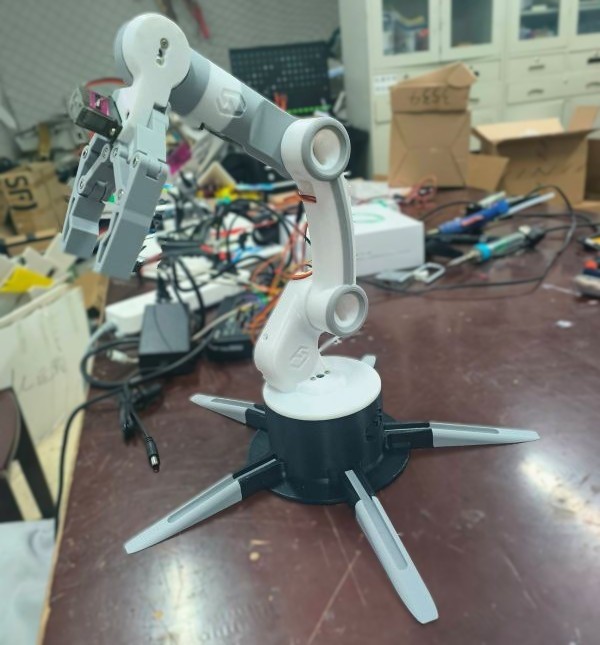
基于视觉引导的机械臂抓取系统,使用 OpenCV 进行目标检测,通过串口通信控制 Arduino 驱动的 6 轴机械臂。(实际只用了5轴)
- 视觉定位:OpenCV 基于颜色阈值(HSV)+ 连通域,得到目标中心点。
- 坐标映射:把像素坐标映射到机械臂工作平面坐标,用于定位目标。
- 运动学与控制链路:逆运动学用 C++ 写成
.so动态库,Python 调用;再通过 JSON 串口协议把关节角下发给 Arduino 执行(抓取→投放→复位)。
项目亮点
- 3D 打印机械臂 + USB 摄像头,成本低,适合入门
- 上位机用 N100 工控机跑 Ubuntu 22.04,Arduino UNO 控制六个舵机
- 逆运动学核心算法用 C++ 实现为动态库,Python 调用,兼顾开发效率和运行速度
- 串口 JSON 协议通信,一条指令同时控制六个舵机角度
系统架构
| 层级 | 硬件 |
|---|---|
| 上位机 | N100 工控机(Ubuntu 22.04) |
| 控制器 | Arduino UNO |
| 执行器 | MG996 × 3 + MG90S × 3(共 6 个舵机) |
| 感知 | USB 摄像头 |
| 机械结构 | 3D 打印件组装 |
流程:摄像头采集 → 图像处理得到目标中心 → 坐标映射 → 逆运动学解算 → 串口下发指令 → 舵机执行抓取投放。
关键技术实现
1. 目标检测
用 OpenCV 做颜色识别。HSV 空间过滤出目标颜色,然后通过连通域分析找到目标中心点。简单够用。
2. 坐标转换
像素坐标到机械臂基坐标的转换,用了一个线性变换:
P = T + R × (P_pixel - image_center) × scale_factor
手工标定,试了几次就差不多能用了。
3. 逆运动学
参考了 B 站其他大佬的做法,用三角函数求解四个关节的角度。写成了 C++ 动态库让 Python 调用,比纯 Python 解算快一些。
4. 通信协议
Python 通过串口发 JSON 给 Arduino,格式大概这样:
{"servo1":90,"servo2":90,"servo3":90,"servo4":145,"servo5":90,"servo6":180}
Arduino 解析 JSON 后直接控制对应舵机。
踩过的坑
- MG996 舵机有一个磨损了,抓取力度不够,视频里只演示抓一个
- Linux 串口设备名需要处理,可能和 brltty 冲突
- 坐标映射精度一般,手工标定的上限就在那
硬件清单
| 配件 | 数量 |
|---|---|
| MG90S 舵机 | 3 |
| MG996 舵机(180°) | 3 |
| Arduino UNO | 1 |
| 5V 3A 电源适配器 | 1 |
| M3 螺丝螺母若干 | - |
整体成本大概两三百块(不算N100)。
代码展示(节选)
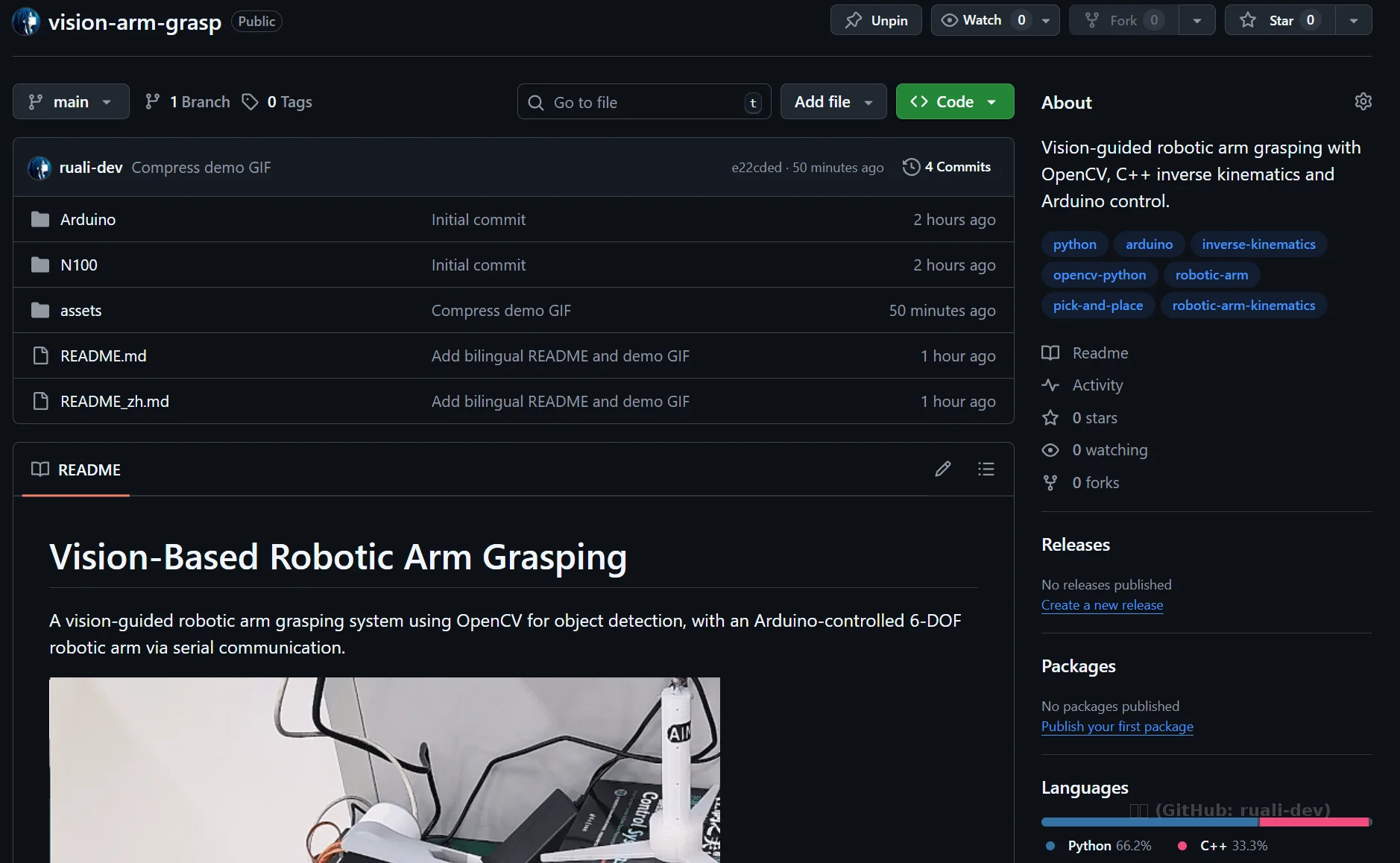
详细代码见Github仓库:ruali-dev/vision-arm-grasp: Vision-guided robotic arm grasping with OpenCV, C++ inverse kinematics and Arduino control.
下面列出部分代码:
上位机流程
# ====== 上位机(Python):坐标 -> IK(ctypes) -> JSON -> 串口 ======
import os, json, time, ctypes
import numpy as np
import serial
import cv2

# 1) ctypes:加载运动学 .so/.dll + 返回结构体
if os.name == "nt":
    lib = ctypes.CDLL("./calculate_servo_angles.dll")
else:
    lib = ctypes.CDLL("./calculate_servo_angles.so")

class ServoAngles(ctypes.Structure):
    _fields_ = [
        ("servo1", ctypes.c_float),
        ("servo2", ctypes.c_float),
        ("servo3", ctypes.c_float),
        ("servo4", ctypes.c_float),
    ]

lib.calculate_servo_angles.argtypes = [ctypes.c_float, ctypes.c_float, ctypes.c_float]
lib.calculate_servo_angles.restype = ServoAngles


# 2) 串口协议:JSON 下发
class RobotArm:
    def __init__(self, port="/dev/robotarm", baudrate=115200):
        self.ser = serial.Serial(port, baudrate, timeout=5, bytesize=8, parity='N', stopbits=1)
        time.sleep(3)

    def send_command(self, angles: ServoAngles, servo6_value: int):
        command = {
            "servo1": round(angles.servo1, 2),
            "servo2": round(angles.servo2, 2),
            "servo3": round(angles.servo3, 2),
            "servo4": 145,
            "servo5": round(angles.servo4, 2),
            "servo6": servo6_value,
        }
        json_data = json.dumps(command, separators=(",", ":")) + "\n"
        self.ser.reset_input_buffer()
        self.ser.reset_output_buffer()
        self.ser.write(json_data.encode("utf-8"))
        time.sleep(3)
        return True

    def catch(self, x, y):
        angles = lib.calculate_servo_angles(x, y, 5)
        self.send_command(angles, 180)  # 张开
        time.sleep(2)
        self.send_command(angles, 47)   # 闭合
        time.sleep(2)
        return True


# 3) 像素坐标 -> 机械臂平面坐标(你的标定/变换参数)
def calculate_coordinates(image_x, image_y):
    scale_factor = 0.0460
    image_center = np.array([320, 240])
    theta = np.radians(-90)
    T = np.array([-0.5, 30.1])

    P_pixel = np.array([image_x, image_y])
    P_prime = (P_pixel - image_center) * scale_factor
    R = np.array([[np.cos(theta), -np.sin(theta)],
                  [np.sin(theta),  np.cos(theta)]])
    P = T + R @ P_prime
    return float(P[0]), float(P[1] - 15)


# 4) 视觉检测(HSV + 连通域中心点)
def detect_white_center(frame_bgr):
    hsv = cv2.cvtColor(frame_bgr, cv2.COLOR_BGR2HSV)

    lower = np.array([109, 0, 223])
    upper = np.array([180, 255, 255])

    mask = cv2.inRange(hsv, lower, upper)
    num_labels, labels, stats, centroids = cv2.connectedComponentsWithStats(mask, connectivity=8)

    for i in range(1, num_labels):
        x, y, w, h, area = stats[i]
        if area < 150:
            continue
        cx, cy = centroids[i]
        return int(cx), int(cy)  # 只取一个目标(演示)
    return None


def main():
    arm = RobotArm("/dev/robotarm", 115200)
    cap = cv2.VideoCapture(0)

    while True:
        ok, frame = cap.read()
        if not ok:
            continue

        frame = cv2.flip(frame, 0)
        center = detect_white_center(frame)
        cv2.imshow("camera", frame)

        if center is not None:
            u, v = center
            x, y = calculate_coordinates(u, v)
            arm.catch(x, y)
            break

        if cv2.waitKey(1) & 0xFF == ord("q"):
            break

    cap.release()
    cv2.destroyAllWindows()


if __name__ == "__main__":
    main()
Arduino
// ====== 下位机(Arduino):串口收 JSON -> 写 6 路舵机 ======
#include <Arduino.h>
#include <Servo.h>
#include <ArduinoJson.h>

Servo servo1, servo2, servo3, servo4, servo5, servo6;

int s1Angle = 90, s2Angle = 90, s3Angle = 90, s4Angle = 145, s5Angle = 90, s6Angle = 90;

void setup() {
  Serial.begin(115200);

  servo1.attach(7, 500, 2500);
  servo2.attach(6, 500, 2500);
  servo3.attach(5, 500, 2500);
  servo4.attach(4, 500, 2500);
  servo5.attach(2, 500, 2500);
  servo6.attach(3, 500, 2500);

  servo1.write(s1Angle);
  servo2.write(s2Angle);
  servo3.write(s3Angle);
  servo4.write(s4Angle);
  servo5.write(s5Angle);
  servo6.write(s6Angle);
  delay(50);
}

void loop() {
  if (Serial.available() > 0) {
    String jsonData = Serial.readStringUntil('\n');
    Serial.println("Received: " + jsonData);

    JsonDocument doc;
    DeserializationError error = deserializeJson(doc, jsonData);
    if (error) {
      Serial.print("JSON 解析失败: ");
      Serial.println(error.c_str());
      return;
    }

    s1Angle = doc["servo1"];
    s2Angle = doc["servo2"];
    s3Angle = doc["servo3"];
    s4Angle = doc["servo4"];
    s5Angle = doc["servo5"];
    s6Angle = doc["servo6"];
  }

  servo1.write(s1Angle);
  servo2.write(s2Angle);
  servo3.write(s3Angle);
  servo4.write(s4Angle);
  servo5.write(s5Angle);
  servo6.write(s6Angle);
}
运动学
// ====== 运动学(C++):基于遍历的 IK,输出 4 个舵机角(摘自你现有 kinematics.cpp 的核心逻辑) ======
#include <math.h>

struct ServoAngles {
  float servo1, servo2, servo3, servo4;
};

// X,Y,Z:目标点(cm)
// 说明:这里保留了你原来的“遍历 j_all -> 过滤关节约束 -> 取中位解”的做法
ServoAngles calculate_servo_angles(float X, float Y, float Z) {
  float a1 = 12.5f, a2 = 12.f, a3 = 12.f, a4 = 12.f;   // 机构参数
  float P  = 15.f;                                     // 底座半径

  float j1;
  if (X == 0) j1 = 90;
  else        j1 = atan((Y + P) / X) * 57.3f;

  float len = sqrt((Y + P) * (Y + P) + X * X);
  float high = Z;

  float n = 0;
  float j2 = 0, j3 = 0, j4 = 0;

  // 1) 统计可行解数量
  for (int i = 0; i <= 180; i++) {
    float j_all = 3.1415927f * i / 180.f;

    float L = len  - a4 * sin(j_all);
    float H = high - a4 * cos(j_all) - a1;

    float Cosj3 = (L * L + H * H - a2 * a2 - a3 * a3) / (2.f * a2 * a3);
    float Sinj3 = sqrt(1.f - Cosj3 * Cosj3);

    float tmp_j3 = atan(Sinj3 / Cosj3) * 57.3f;

    float K2 = a3 * sin(tmp_j3 / 57.3f);
    float K1 = a2 + a3 * cos(tmp_j3 / 57.3f);

    float Cosj2 = (K2 * L + K1 * H) / (K1 * K1 + K2 * K2);
    float Sinj2 = sqrt(1.f - Cosj2 * Cosj2);

    float tmp_j2 = atan(Sinj2 / Cosj2) * 57.3f;
    float tmp_j4 = j_all * 57.3f - tmp_j2 - tmp_j3;

    if (tmp_j2 >= 0 && tmp_j3 >= 0 && tmp_j4 >= 0 && tmp_j2 <= 90 && tmp_j3 <= 90 && tmp_j4 <= 90) {
      n += 1.f;
    }
  }

  // 2) 再遍历一次,取中位解
  float m = 0;
  for (int i = 0; i <= 180; i++) {
    float j_all = 3.1415927f * i / 180.f;

    float L = len  - a4 * sin(j_all);
    float H = high - a4 * cos(j_all) - a1;

    float Cosj3 = (L * L + H * H - a2 * a2 - a3 * a3) / (2.f * a2 * a3);
    float Sinj3 = sqrt(1.f - Cosj3 * Cosj3);

    j3 = atan(Sinj3 / Cosj3) * 57.3f;

    float K2 = a3 * sin(j3 / 57.3f);
    float K1 = a2 + a3 * cos(j3 / 57.3f);

    float Cosj2 = (K2 * L + K1 * H) / (K1 * K1 + K2 * K2);
    float Sinj2 = sqrt(1.f - Cosj2 * Cosj2);

    j2 = atan(Sinj2 / Cosj2) * 57.3f;
    j4 = j_all * 57.3f - j2 - j3;

    if (j2 >= 0 && j3 >= 0 && j4 >= 0 && j2 <= 90 && j3 <= 90 && j4 <= 90) {
      m += 1.f;
      if (m == n / 2.f || m == (n + 1.f) / 2.f) break;
    }
  }

  // 3) 关节角 -> 舵机角(按你原来的映射)
  float s1 = 90;
  if (j1 > 0 && j1 < 90) s1 = 90 - j1;
  else if (j1 < 0)       s1 = 90 + fabs(j1);

  float s2 = (j2 > 0) ? (j2 + 90) : (j2 < 0 ? (90 - fabs(j2)) : 90);
  float s3 = (j3 > 0) ? (90 - j3) : (j3 < 0 ? (90 + fabs(j3)) : 90);
  float s4 = (j4 > 0) ? (j4 + 90) : (j4 < 0 ? (90 - fabs(j4)) : 90);

  return ServoAngles{ s1, s2, s3, s4 };
}